

An internal full-stack web app I built at PARC (a Xerox Company) to manage employee and visitor records, and to stop account provisioning from being a manual, multi-system chore.
Stack: Python / Flask, React, SQLite, Azure AD SSO · Github Repo
The problem
Employee and visitor records lived in a few different places, and none of them talked to each other. Onboarding somebody meant touching Active Directory, NIS, and Microsoft 365 by hand, in the right order, without typos. It was slow, easy to get wrong, and there was no single place to answer “who is this person and what do they have access to?”
What I built
A single web app that owned the record and then did the provisioning work itself.
- One source of truth. Search, view, create, modify, and delete person records from one UI, covering 100% of employee and visitor records.
- Automatic account provisioning. Creating a person in the app created and managed their accounts across Active Directory, NIS, and Microsoft 365. No more hand-editing three systems in sequence.
- Azure AD SSO, so nobody needed another set of credentials, and access followed the identity we already had.
- Mobile-friendly UI, because a lot of the people who needed to look someone up were walking around the building, not sitting at a desk.
- Automated deploys with GitLab CI, so shipping a fix wasn’t its own ceremony.
Results
The app became the system of record for employee and visitor data at the site, and the provisioning that used to be done by hand across three directories happened as a side effect of filling out one form.
A note on this repo
The public repo is a pared-down version of what actually ran internally. It’s the Flask + React + SQLite core, without the Azure AD SSO or the directory-sync integrations, since those were wired into internal systems. Treat it as a reference implementation of the UI and API, not the full app.
Screenshots
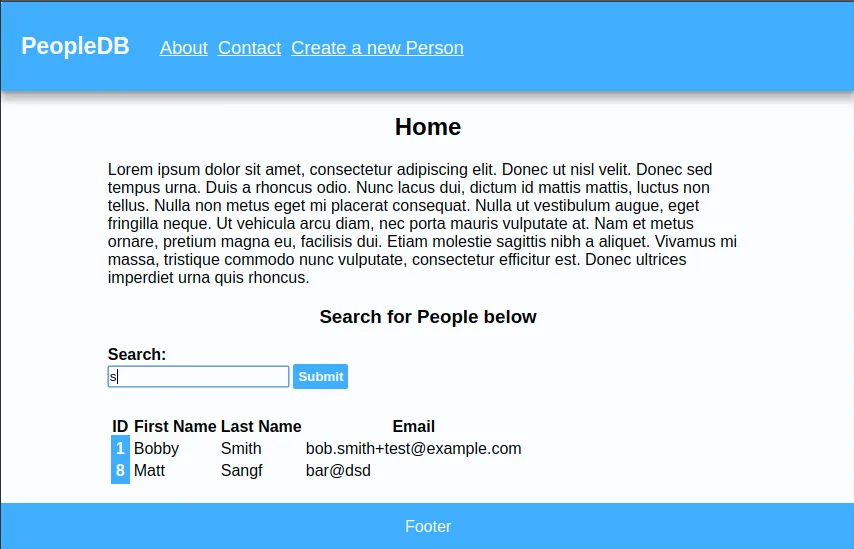
Home / Search page
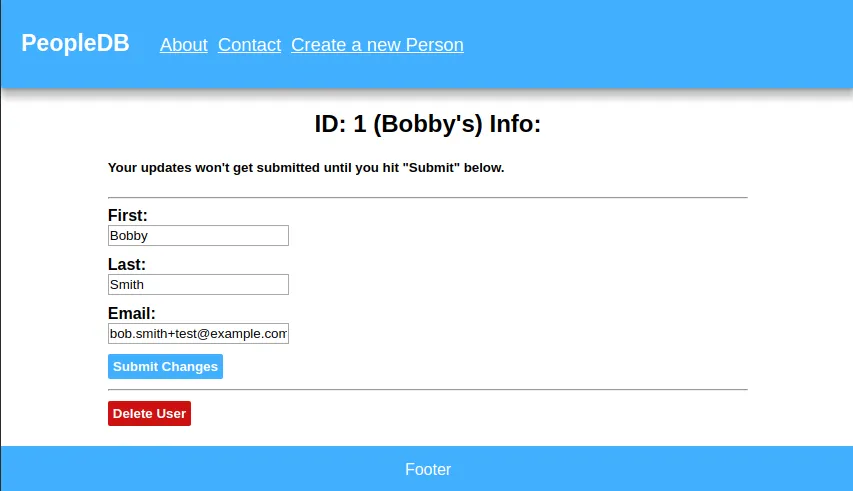
Detailed info / modify / delete page
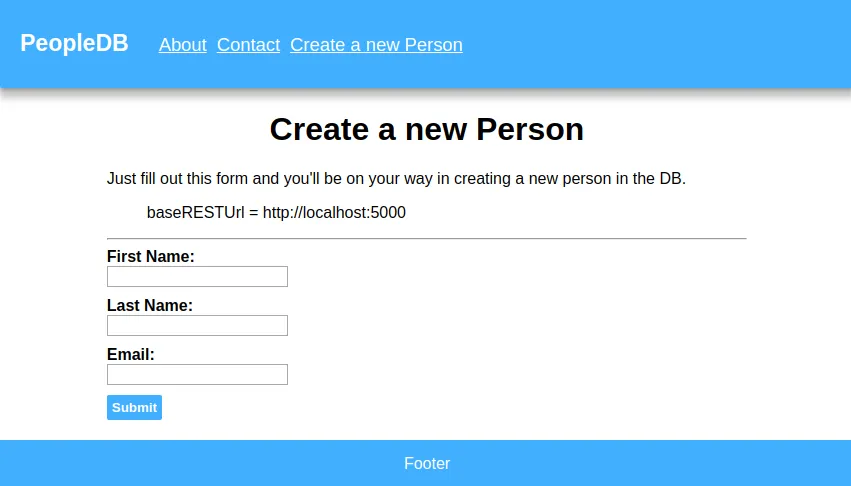
Create new user page
Installing
- Install deps from pkg manager
- Ubuntu:
$ sudo apt install python3 python3-pip sqlite3 nodejs npm
- Arch:
$ sudo pacman -S sqlite3 nodejs npm python3 python3-pip
- Ubuntu:
- Install python pip pkgs
$ sudo pip3 install flask flask-cors pysqlite3
- Clone this repo
$ git clone https://github.com/ssebs/PeopleDB-py-react
- cd to the new folder
$ cd Peopledb-py-react/
- Clone the flask-ppl-api repo
$ git clone https://github.com/ssebs/flask-ppl-api
- cd to the new folder & run the init script
$ cd flask-ppl-api/$ ./init_db.sh
- Go back and install npm deps
$ cd ../peopledb/$ npm install
Running dev
You’ll need two terminals open
$ make api- ^ Will run python flask server (:5000)
$ make frontend- ^ Will run npm start live dev server (:3000)
Building
- Frontend:
$ make build
- Backend: (TEMP)
$ nohup /usr/bin/python3 /var/www/PeopleDB-py-react/flask-ppl-api-main.py &- TODO:
nohup gunicorn main:app -b 0.0.0.0:5000 &
Leave a comment!